





Local AI photo & video search for Mac

Search every drive
like one archive.

Nevervault is a local AI photo and video indexer for Mac. Search RAW photos and video across external hard drives, NAS shares and local folders by describing what you remember. No catalog. No import. No originals uploaded for indexing.

macOS 14+ · Apple silicon · 14-day free trial, no card

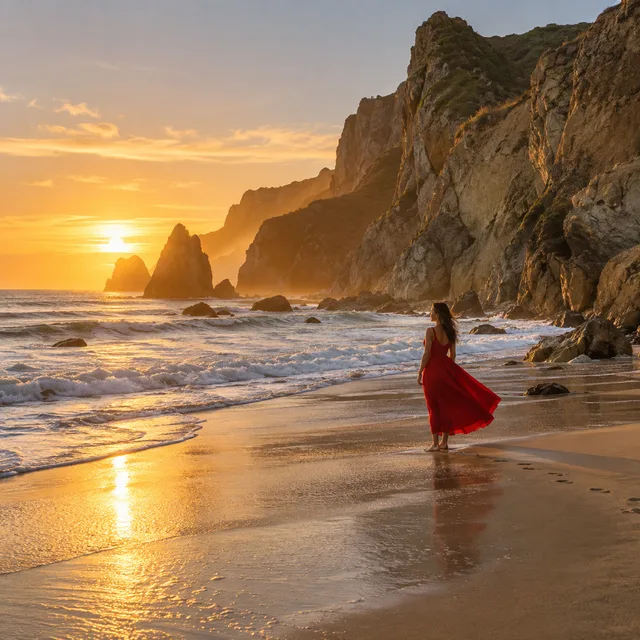
red dress on the beach, golden hour|
Searching Studio NAS T7 Shield 2019 Backup · unplugged, previews still searchable
Red dress in warm sunset light beside the surf Photo
Red dress beneath coastal cliffs at golden hour ▶
Crimson dress on a tropical beach in low evening light Video frame
Close-up of scarlet dress pleats against muted green seawater
Two friends splashing in the surf, one in a red shirt dress 24
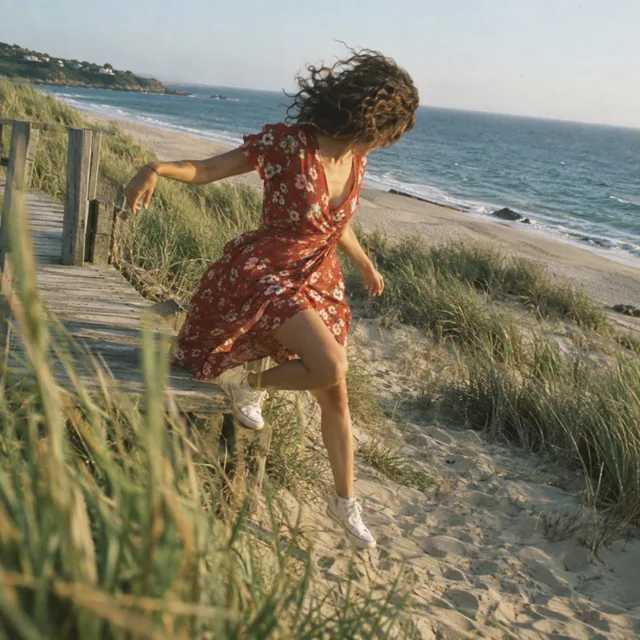
Woman in a red floral dress jumping from a dune boardwalk
Small figure in a wine-red dress framed by a beach cafe doorway
Overhead view of a red gingham sundress on a striped beach towel
Read-only over your originals On-device & offline Local indexing and search Built for Apple silicon

Why it exists

Your archive should never become a vault.

Years of work can disappear without ever being deleted. A shoot gets backed up to an old drive. A client folder is copied twice. A Lightroom catalog points at part of the job. The NAS holds everything, and finding anything means digging through dates, folders, and guesses.

The files are safe. They're just buried. Nevervault keeps every drive, every shoot, every frame in reach.

In your workflow

From a remembered shot to your next project.

Search, compare, collect, and return to your originals. Keep the folders, drives, and editing tools you already use.

Across your archive

Every drive, one view.

Search local folders, external SSDs, and mounted NAS shares together. Index the archive you already have, without moving it into a new library.

Locally cached previews remain available when a source disconnects. Reconnect its drive or share when you need the originals. Previews stored on that source need it connected.

Search across drives and NAS

One index. Different places.

Studio NASConnected

Originals available

Travel SSDDisconnected

Cached previews available

Search both. Connect the source when you need its originals.

Small index, large archive

Built for RAW archives.

Search camera RAW files alongside JPEGs, HEIC images, and footage. Recognized formats include Canon CR3, Nikon NEF, Sony ARW, Fujifilm RAF, and DNG.

Nevervault stores previews, metadata, and a local search index. Originals stay where they are. Set a storage limit and clear cached previews when you need space back. Camera variants and codecs affect decoding.

Check camera and format support

Camera RAW

CR3 · NEF · ARW · RAF · DNG

Still images

JPEG · HEIC · TIFF · PSD

Video

MOV · MP4 · MXF · BRAW

Stored locally

Previews + metadata + search index

Originals stay on their drives. Decoding depends on the camera and codec.

Start with an image

Find more like this.

Have the right feeling in one photo? Use an indexed image as a reference, or choose a file from your Mac. You can also drop an image into Nevervault to find visually similar photos in your library.

Compare the matches for subject, color, and composition. Inspect the previews to decide which ones fit your brief.

Explore photo search

Start with a reference image

Choose a file or drop it into Nevervault

Find Similar

Compare visual matches from your indexed library, then inspect the previews.

Make room for the keepers

Clean stacks, fewer duplicates.

Browse bursts and near-identical frames as visual stacks, with exact duplicates collapsed. Open a stack to compare its individual frames and choose the one you want.

Adjust grouping to suit your archive. Stacking changes how you browse; it never deletes your originals.

One visual stack12 frames

Expand to compare individual frames. Grouping never deletes the originals.

Motion and sound · Pro

Find the frame. Find the phrase.

Describe a shot to search sampled frames inside your videos. Enable on-device transcription to search spoken words, then jump to the matching moment in the clip.

Blackmagic RAW uses the bundled BRAW decoder. Other containers depend on their codecs; some footage needs a local playback proxy. Frame sampling can miss brief moments between samples.

Search footage and spoken words

Visual search

“Surfer beside the ocean”

00:00Sampled frame → 04:12

Spoken-word search

“…that’s when the whole season turned around.”

Transcript match → 02:47

Two search paths into your footage. Transcription runs on your Mac.

From discovery to editing

Preview fast. Open in your editor.

Inspect results in the built-in viewer, compare a stack, and open an original in your configured editor. Reveal it in Finder when you need its folder and neighboring files.

Full-resolution review needs access to the original. A small preview is useful for composition, but check focus and fine detail in your editor before delivery.

  1. 01

    Inspect the preview

    Compare candidates and step through a stack.

  2. 02

    Locate the original

    Connect its drive or mount the share if needed.

  3. 03

    Open in your editor

    Use your configured editor, or reveal the file in Finder.

Gather your selects · Pro to create

Collections, across every drive.

Bring selections from different folders and drives into one collection. Membership is stored as references, so building a shortlist does not copy the originals.

When exporting with sources disconnected, Nevervault lists the sources and original counts. Connect each source, then click Export for its batch. Every batch goes into the collection’s chosen destination folder.

Build collections and export originals

Coastal campaign · 12 selects

Studio NAS8 originals

Connected · ready to export

Travel SSD4 originals

Connect this source, then click Export

Each source’s batch goes into the same destination folder. Keep the export window open.

Agent workflows

Give your agent a searchable archive.

Connect a local MCP-compatible agent to Nevervault’s bundled server. Give it a brief, let it search and inspect small previews, and have it create a collection for you to review.

Access is off by default. Collection creation and additions require separate permission and Pro. A client using a cloud model may send returned previews and metadata to its provider.

Connect your agent

“Find coastal photos with space for a headline. Create a collection with your selections.”

  1. 1Search your indexed library
  2. 2Inspect lightweight previews
  3. 3Add selections to a collection

You enable access in Nevervault. Collection changes have a separate permission.

Remote Access · New in Nevervault 1.8.11

Your archive. Beyond your Mac.

Browse and search your Mac’s library from another Mac, iPhone or iPad. Find similar photos, watch supported videos and gather selects with the host’s permission. Your Mac keeps the index; connections are end-to-end encrypted.

Nevervault Remote

The free iPhone and iPad companion has been submitted for App Store review and is coming soon. Requires a Mac running Nevervault 1.8.11 or later.

Explore Remote Access →

How it works

Three steps. Then it's just there.

01

Point it at a drive

Pick a folder, an external, or a NAS share. No import, no catalog to build, nothing to reorganize first.

02

It indexes, read-only

Tiny previews and an on-device search index build in the background. You can start searching while it works.

03

Describe what you want

Search your whole archive in plain words. Open the original, reveal it in Finder, or jump to its folder.

Privacy

Local-first by design.

Your files should not need to be uploaded to someone else's cloud just to become searchable.

Everything on your Mac

Indexing and search run on-device, tuned for Apple silicon. Search your cached index without uploading your originals. Connected agents have their own data handling; cloud models may receive the previews and metadata you let them access.

Read-only, always

Nevervault opens your originals read-only. It cannot move, rename, convert, or delete a file. Your archive is never restructured. An export you request copies selected originals into your chosen destination.

Yours to control

No telemetry. The previews and index live on your Mac, capped by a storage limit you set, and you can clear them anytime.

Why I built this

I'm a photographer. Somewhere across a NAS and a shelf of drives I have a few hundred thousand RAW files: a decade of shoots, travel, events, work I was proud of and forgot I had.

When I wanted a specific frame, I had nothing. Lightroom buckled at that scale. Photos refused to index a network drive. Everything else wanted me to import, to copy and rebuild my whole archive just to look through it.

So I built the tool I wanted: point it at the drive, leave every file exactly where it is, and search the whole thing by describing what I remember. Nevervault is that, hardened until I trusted it with my own originals. I hope it finds your work for you too.

Zachary Owens
Photographer & developer · Sacramento, CA
@zacheowens
Zachary Owens, the photographer who built Nevervault

Pricing

Try everything for 14 days.

Start with a 14-day trial of the full app, no card. After that, Nevervault stays useful free: your library remains fully indexed and you get 20 searches a month. Go Pro whenever you want more.

Monthly
$9.99 / month

Month-to-month. Cancel anytime.

Choose monthly

macOS 14+ · Apple silicon

  • Unlimited plain-English search
  • Search inside your video
  • Search the spoken words in your video
  • Advanced filters: camera, lens, format
  • Collections: gather selects, export originals
  • Every drive, indexed read-only
  • On-device indexing and search
Best value
Yearly
$99.99 / year

That's $8.33 a month. Two months free.

Choose yearly

macOS 14+ · Apple silicon

  • Unlimited plain-English search
  • Search inside your video
  • Search the spoken words in your video
  • Advanced filters: camera, lens, format
  • Collections: gather selects, export originals
  • Every drive, indexed read-only
  • On-device indexing and search

Indexing and browsing are never capped, on any plan. Pro adds unlimited search, video indexing, and advanced filters.

Questions, answered

Does Nevervault change my photos?

No. Nevervault opens your originals read-only. It cannot move, rename, convert, or delete anything. Indexing stores previews, metadata, and a search index. Exporting copies selected originals to a destination you choose; source files stay unchanged.

Do I need Lightroom or a catalog?

No. Nevervault works directly on your folders of RAW files, wherever they live. There is nothing to import and no catalog to maintain. It sits before your editor, not in place of it.

Where do my photos go? Is anything uploaded?

Nevervault indexes and searches on your Mac without uploading originals for search. Optional Remote Access sends requested content to your approved devices using end-to-end encryption, directly or through our relay. Optional Photos integration can download items from your iCloud library for indexing. If you enable the MCP connection, your agent client may send returned previews and metadata to its model provider; that client’s data policies apply.

Does it really search video?

Yes, two ways. Nevervault indexes the frames inside your clips, so footage is searchable the same way your stills are. Turn on transcription and it also searches the spoken words, entirely on your Mac, so interviews, commentary, and documentary audio become searchable by what was said. Tap a word to jump to that second of the clip.

What happens when the trial ends?

Nevervault stays useful free. Your library remains fully indexed and browsable, and you get 20 searches a month showing the top matches. Pro removes the search limits and adds video search, spoken-word transcription, advanced filters, and collections.

What do I need to run it?

A Mac with Apple silicon on macOS 14 or later. Nevervault is tuned for the Neural Engine, which is what keeps search fast across huge archives.

Never lose a frame
to storage again.

Old drives shouldn't be graveyards, and your best work shouldn't depend on remembering a folder name from four years ago.

macOS 14+ · Apple silicon · 14-day free trial, no card

Explore your archive

A guide to finding your work.